Softude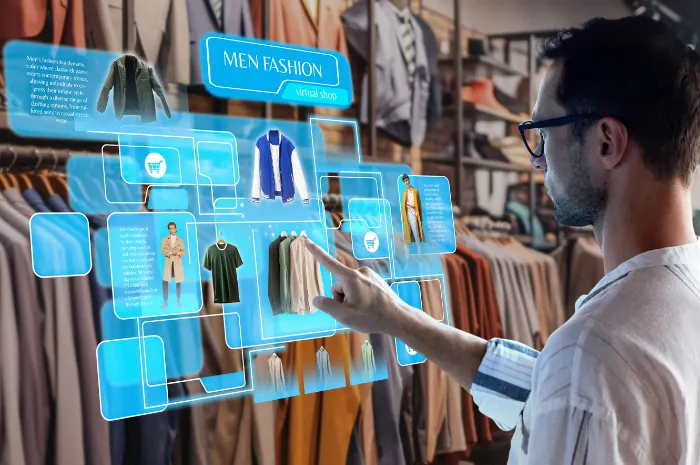
Computer vision is quickly becoming a core technology in modern retail. As retailers look for smarter ways to improve inventory accuracy, reduce operational costs, and enhance in-store experiences, AI-powered visual intelligence is moving from pilot projects to large-scale deployments.
The numbers reflect this momentum:
- The global value of computer vision AI in the retail market is projected to reach USD 12.56 billion by 2033.
- More than 80% of retailers have already allocated budgets for AI initiatives, with 86% planning to increase AI investments over the next year.
- Retailers are increasingly using computer vision for applications such as shelf monitoring, inventory management, checkout automation, loss prevention, and customer behavior analytics.
This growing adoption of computer vision in retail signals a shift in how retailers operate.
What Is Computer Vision in Retail?
It is a technology that analyzes visual data using AI and transforms it into meaningful business insights. Rather than simply recording video footage, computer vision systems can identify objects, recognize patterns, detect activities, and automate decision-making based on what they “see.”
For retailers, this means ordinary cameras become intelligent sensors capable of monitoring products, customers, shelves, checkout areas, warehouses, and store operations in real time.
For example, instead of asking employees to manually check whether a shelf is empty every hour, a computer vision system continuously monitors shelf conditions and immediately alerts staff when products need replenishment.
How Computer Vision Technology Works
A typical retail computer vision solution combines several technologies to convert raw video into actionable intelligence:
- Object Detection: Identifies products, shelves, shopping carts, customers, and store fixtures.
- Image Recognition and Classification: Categorizes products or identifies product types.
- Instance Segmentation: Separates individual objects, even when they overlap.
- Pose Estimation: Understands human movement and activities within the store.
- Optical Character Recognition (OCR): Reads product labels, shelf tags, and pricing information.
- Video Analytics: Detects patterns and events across continuous video streams rather than analyzing individual images.
These technologies are often powered by deep learning models trained on millions of retail-specific images, allowing them to recognize products and behaviors with high accuracy under different lighting conditions and store layouts.
Where to Use Computer Vision in Retail Stores: Top Use Cases With Examples
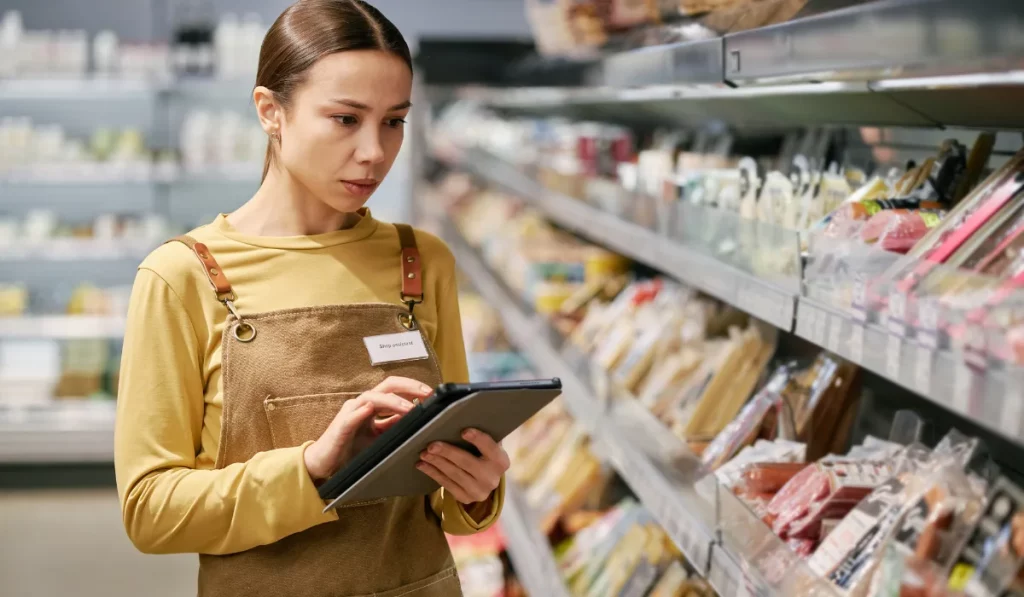
1. Shelf Monitoring and Stock Availability
Empty shelves can result in lost sales even when products are available in the stockroom. Since manually inspecting every aisle is time-consuming, many retailers use computer vision to monitor shelf conditions continuously.
AI-powered cameras detect empty spaces, low stock levels, misplaced products, and pricing errors in real time. When an issue is identified, the system alerts store associates so shelves can be replenished quickly.
Retailers use this technology to:
- Detect out-of-stock products
- Monitor planogram compliance
- Identify misplaced items
- Automate shelf audits
- Improve on-shelf availability
Real-world example:
UK supermarket chain Morrisons has deployed 400–600 AI-powered cameras from Focal Systems in each store. These cameras automatically capture images of store shelves every hour and use computer vision to detect out-of-stock products, misplaced items, and incorrect price labels. Employees receive instant alerts, allowing them to address issues before they impact customers.
Business impact: Better product availability, reduced manual inspections, and fewer lost sales caused by stockouts.
2. Smart Inventory Management
Maintaining accurate inventory across large retail stores is difficult when stock levels change throughout the day. Computer vision enables retailers to monitor inventory continuously without relying solely on manual stock checks.
Using cameras mounted throughout stores or even on autonomous robots, computer vision systems identify missing products, track shelf conditions, and provide near real-time inventory visibility using image recognition technology.
Retailers use computer vision to:
- Automate inventory tracking
- Reduce manual stock counting
- Detect inventory discrepancies
- Improve replenishment planning
Real-world example:
Sam’s Club and Walmart use autonomous floor-scrubbing robots powered by Brain Corp’s BrainOS. While cleaning store floors, the robots’ built-in 3D cameras scan adjacent shelves to identify missing SKUs and monitor inventory conditions, allowing retailers to collect inventory data without deploying separate scanning equipment.
Business impact: Improved inventory accuracy, lower labor requirements for shelf inspections, and faster replenishment.
3. Checkout-Free Shopping
Computer vision powers modern AI checkout systems by combining overhead cameras, image recognition, and weight sensors to identify products customers pick up and automatically process payment without requiring barcode scanning.
This creates a faster shopping experience while reducing checkout queues.
Real-world examples:
- Amazon’s Just Walk Out technology has expanded beyond Amazon-operated stores and is now licensed to more than 350 third-party locations, including NFL stadiums such as Lumen Field in Seattle, airports, hospitals, and university campuses like UC San Diego. Customers simply pick up their items and leave, while computer vision and sensor technology automatically calculate their purchases.
- In 2025, the Omni Boston Hotel introduced autonomous retail kiosks powered by computer vision, allowing guests to purchase snacks and travel essentials 24/7 without on-site staff.
Business impact: Faster checkout, shorter queues, reduced staffing requirements, and a more seamless customer experience.
4. Loss Prevention and Self-Checkout Fraud Prevention
Retail shrinkage remains one of the industry’s biggest profitability challenges. While traditional surveillance systems record incidents for later review, computer vision can detect suspicious activity in real time and support faster intervention.
One growing application is fraud detection at self-checkout.
Real-world example:
Kroger uses edge-based computer vision systems at self-checkout lanes to reduce scanning errors and retail shrinkage. Overhead cameras verify whether the product passing through the checkout matches the barcode being scanned. If an item is placed directly into the bagging area without being scanned—or if the scanned barcode doesn’t match the product—the system alerts the customer and pauses the transaction for verification.
Business impact: Lower shrinkage, fewer self-checkout errors, and improved loss prevention without slowing down the checkout experience.
5. Customer Behavior Analytics and Store Layout Optimization
Computer vision gives retailers a clearer understanding of how customers navigate stores, interact with products, and respond to promotions. Instead of relying solely on sales reports, businesses can analyze anonymous foot traffic, dwell time, and how customers scan their stores to improve store layouts and merchandising strategies.
Retailers use these insights to:
- Identify high-traffic areas
- Measure customer dwell time
- Optimize product placement
- Evaluate promotional displays
- Improve staffing during peak hours
Real-world example:
Phillips 66 implemented its Connected Store platform across convenience stores using AWS-powered computer vision. The system analyzes anonymized video from aisle and point-of-sale cameras to generate heat maps, helping the retailer understand which displays attract the most attention, where customers spend the most time, and how store layouts can be optimized to improve engagement.
Business impact: Better merchandising decisions, improved promotional performance, optimized store layouts, and enhanced customer experiences.
6. Visual Search for Product Discovery
Visual search allows shoppers to find products using an image instead of typing keywords. Customers can upload a photo of a product they like, and AI uses image recognition to identify visually similar products available in the retailer’s catalog.
Real-world examples:
- IKEA uses visual search in its app, allowing customers to photograph furniture and find similar products.
- ASOS offers “Style Match,” where shoppers upload a photo to discover visually similar clothing available on its platform.
- Pinterest Lens also enables users to discover products by pointing their camera at an object.
Business impact: Faster product discovery, improved customer experience, and higher conversion rates.
Why Retailers Should Use Computer Vision in Their Stores
Computer vision helps retailers do more than automate routine tasks. By converting live visual data into actionable insights, it improves operational efficiency, enhances customer experiences, and supports smarter business decisions.
- Improves Inventory Accuracy: Continuously monitors shelves and inventory movement to detect stockouts, misplaced items, and inventory discrepancies. This helps maintain product availability and supports more accurate replenishment.
- Enhances the Customer Experience: Ensures products are available, reduces checkout wait times, and optimizes store layouts based on shopping behavior. The result is a faster, more convenient shopping journey.
- Reduces Operational Costs: Automates repetitive tasks such as shelf inspections, inventory audits, and store monitoring, allowing employees to assist customers better and manage store operations.
- Minimizes Retail Shrinkage: Detects suspicious activities, self-checkout fraud, and inventory anomalies in real time. This enables quicker intervention and helps reduce losses caused by theft and operational errors.
- Enables Faster Decision-Making: Provides real-time insights into store operations, helping managers respond quickly to issues such as empty shelves, long queues, or underperforming displays.
- Increases Employee Productivity: Sends alerts only when action is needed, reducing manual inspections.
- Optimizes Store Layouts and Merchandising: Analyzes customer movement, dwell time, and product interactions to improve merchandising strategies, promotional placements, and overall store layout.
- Supports Scalable Retail Operations: Enables centralized monitoring of inventory, compliance, and store performance across multiple locations, ensuring consistent operations as retail businesses expand.
What Are the Common Challenges of Implementing Computer Vision in Retail

While computer vision offers significant business value, successful implementation requires careful planning. Retailers often encounter a few common challenges when deploying AI-powered vision systems.
- High Implementation Costs: Setting up cameras, AI infrastructure, and integrating with existing retail systems can require significant upfront investment.
- System Integration: Computer vision must work seamlessly with POS, ERP, inventory, and warehouse management systems to deliver accurate, real-time insights.
- Privacy and Compliance: Retailers need to comply with data privacy regulations and implement safeguards such as data anonymization and secure video processing.
- Model Accuracy: Factors like poor lighting, crowded aisles, changing store layouts, and camera placement can affect detection accuracy, requiring ongoing model training and optimization.
- Scalability: Expanding deployments across multiple stores while maintaining consistent performance and centralized management can be complex.
Why Partner with a Computer Vision Development Company?
Implementing computer vision goes beyond deploying cameras. It’s about building an AI solution tailored to your retail operations. An experienced computer vision development partner can help you:
- Identify high-impact retail use cases with the fastest ROI
- Build and train custom AI models for your products and store environment
- Integrate seamlessly with your existing retail systems
- Ensure data privacy, security, and regulatory compliance
- Scale the solution across multiple stores with ongoing support and optimization
With the right development partner, retailers can reduce implementation risks, accelerate deployment, and maximize the long-term value of their computer vision investment.
FAQs
CCTV records footage for review after an event. Computer vision analyzes video in real time and sends an alert while there is still time to act, such as a low-stock warning or a missed-scan flag.
The most proven are shelf monitoring and on-shelf availability, inventory accuracy, loss prevention, queue management, and faster checkout. Shelf monitoring has the strongest track record at scale.
Yes, particularly at self-checkout, where systems used by Tesco and Lidl detect unscanned items in the moment and prompt correction. It works best as a real-time prompt rather than a post-incident report.
The hardware and installation carry a meaningful upfront cost, which is why Amazon scaled back full-store deployment. Targeted, single-use-case rollouts are far more economical and typically show ROI within 12 to 18 months.
Well-designed retail systems analyze aggregate, anonymized patterns rather than identifying individuals. The Focal Systems cameras at Morrisons, for example, scrub personally identifiable information from images before analysis. Privacy practices vary by vendor and jurisdiction, so it should be verified directly.
Grocery and supermarkets see the strongest returns today, driven by shelf and inventory use cases, followed by convenience and fuel retail for checkout speed, and fashion and furniture for visual search.