Puja Dembla
When you are standing at the crossroads of project management, the choice between Microsoft Planner and Jira feels like choosing between a reliable family sedan and a high-performance jet. Both will get you to your destination, but the experience of driving them and the speed at which you can pivot could not be more different.
For Agile teams, this choice is personal. It is not just about where you click; it is about how the tool supports the way your team thinks, iterates, and ships. Let’s dive deep into the personalities of these two giants to see which one truly earns a spot in your daily workflow.
Why the Right Project Management Tool Matters?
Traditional project management emphasizes comprehensive upfront planning, with scope, timelines, and deliverables defined early in the project lifecycle. Agile project management, by contrast, focuses on iterative delivery, continuous backlog refinement, and the ability to respond effectively to changing business and market conditions.
Agile teams need a tool that does not just “list tasks” but actually facilitates the ritual of the workflow: the daily stand-up, the sprint review, and the constant reshuffling of priorities. If a tool is too rigid, it kills the team’s momentum; if it is too simple, the team loses sight of the “big picture” goals.
Microsoft Planner: The Art of the Visual To-Do List
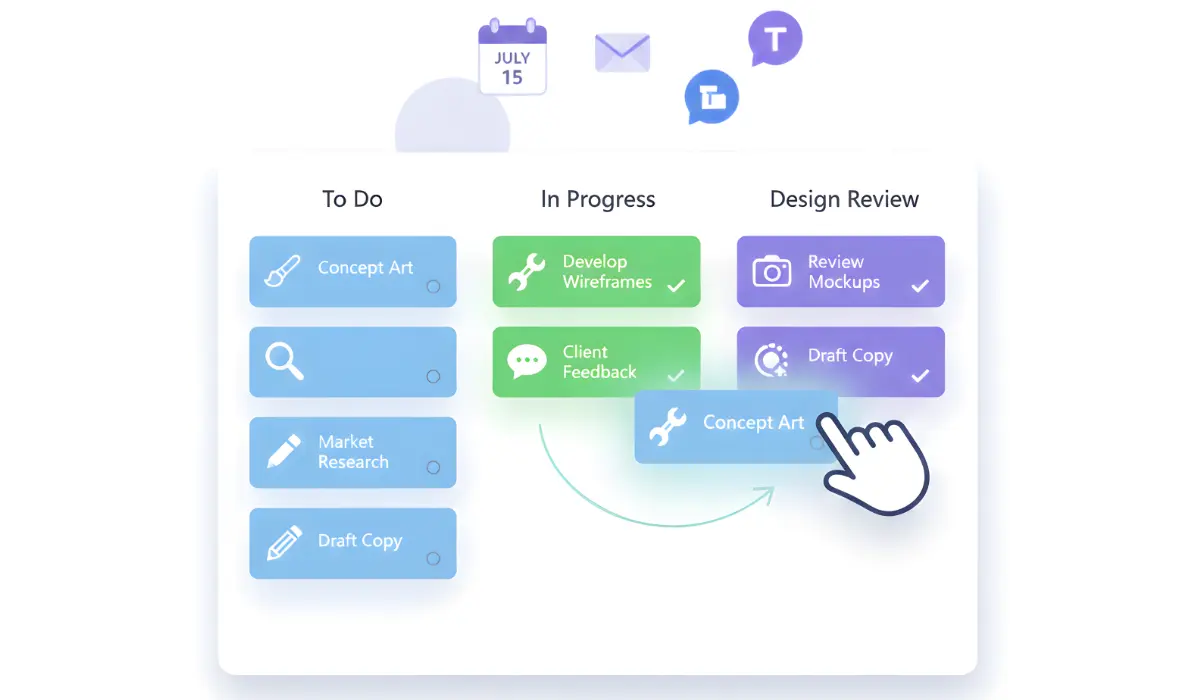
Microsoft Planner is the ultimate “clean slate.” It is designed around the concept of Buckets and Boards. You create a bucket (like “In Progress” or “Design Review”), drop a card into it, and you are done.
What it feels like to use:
Using Planner feels effortless. Because it is built directly into the Microsoft 365 ecosystem, it pulls in your Outlook calendar and your Teams notifications without you having to lift a finger. It is colorful, visual, and highly satisfying to drag a card from one column to another.
- The Sweet Spot: It is perfect for marketing teams, creative agencies, or internal HR departments who use the “Kanban” style but do not need to track “technical debt” or “cycle time.”
- The Limitation: It lacks a formal “Backlog.” In Planner, everything is a task. There is no easy way to hide 50 future ideas so the team can focus on the 5 things they need to do this week.
Jira: The Powerhouse Built for Precision
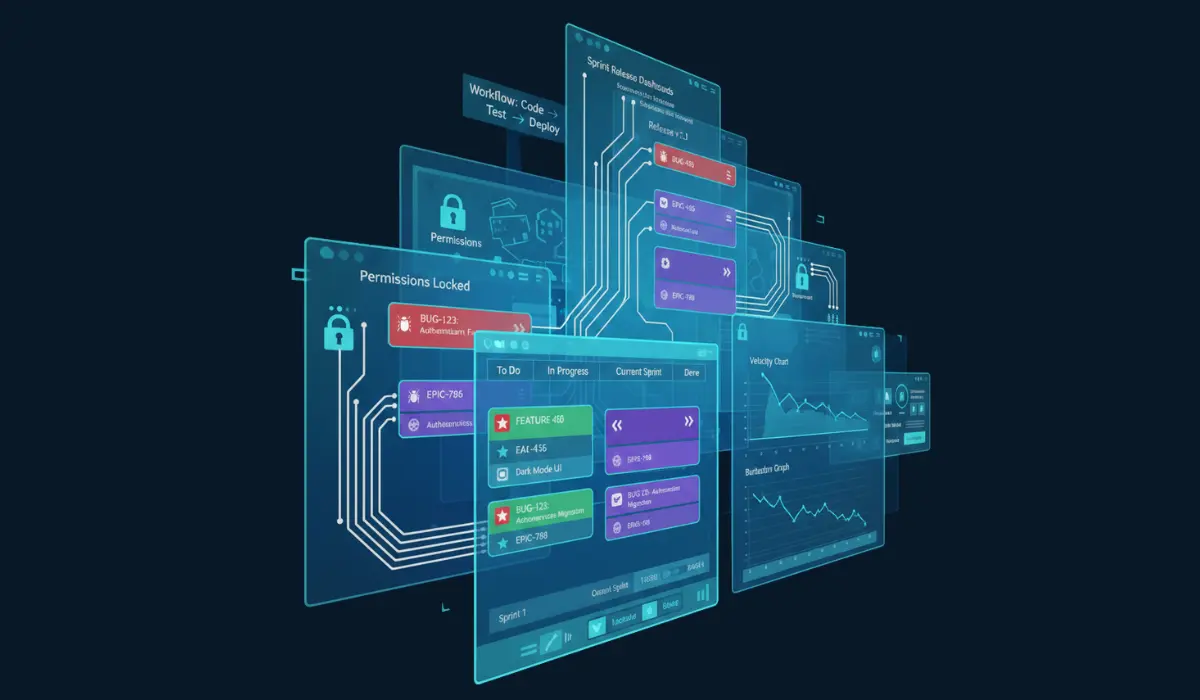
Jira is the heavy-duty engine of the software world. Developed by Atlassian, it was not just built for “tasks”- it was built for Issues. Whether that is a bug, a new feature request, or a massive structural change (an Epic), Jira treats every piece of work as a data point.
What it feels like to use:
Jira is a “choose your own adventure” book. When you first open it, the sheer number of buttons and sidebars can be overwhelming. But once it is configured, it becomes a cockpit. You can see how a single line of code in GitHub relates to a specific ticket, which then rolls up into a Sprint, which then populates a Burndown chart.
- The Sweet Spot: Software engineering and product development teams who live by Scrum. If you need to know your team’s “Velocity” (how much work they actually finish vs. what they promised), Jira is peerless.
- The Limitation: It can feel “heavy.” If you just want to track a simple office move or a content calendar, Jira’s complex permissions and workflows might feel like you are using a chainsaw to cut a piece of paper.
The Head-to-Head Breakdown Between Microsoft Planner and Jira
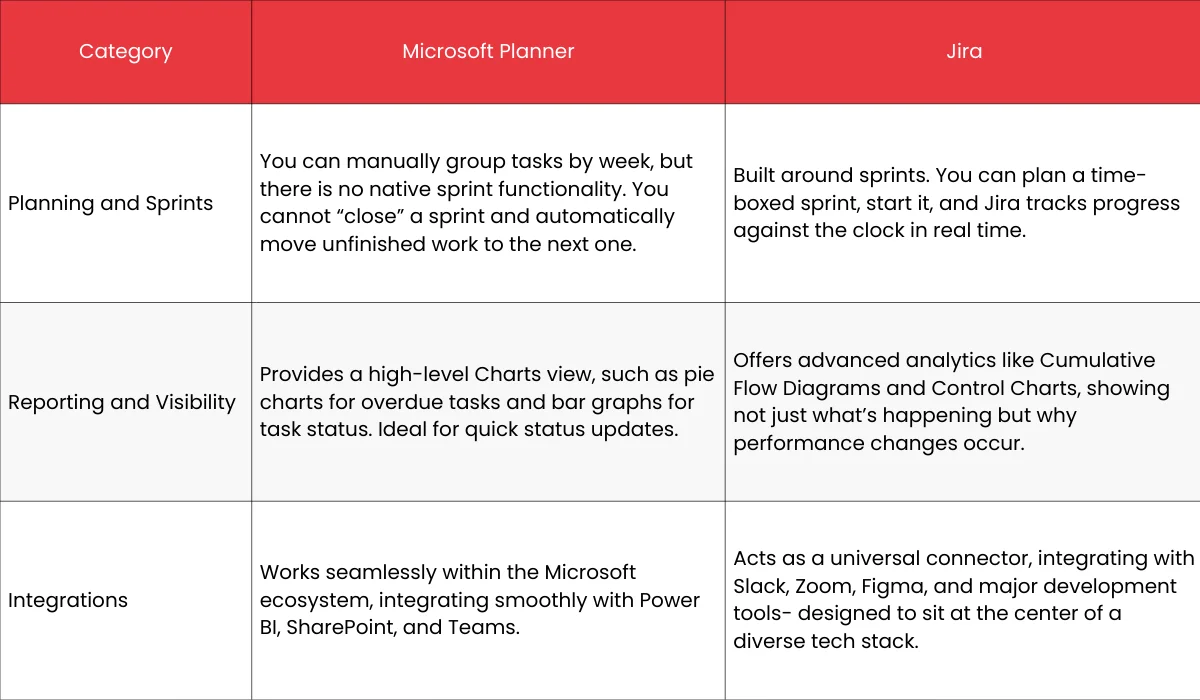
Microsoft Planner Vs Jira: Which One Should You Use?

Choose Microsoft Planner if: You are a small to mid-sized team that values speed and simplicity. If your “Agile” process is more about visual organization than strict methodology, and you are already paying for a Microsoft 365 subscription, Planner is a no-brainer. It keeps the “friction” of project management to a minimum.
Choose Jira if: You are building something complex. If your team is growing, if you have dependencies between different departments, or if you need to prove your team’s efficiency with hard data, Jira is the investment that pays off. It is a tool that does not just track work; it matures with your team.
FAQs
Is MS Planner good for agile project management?
MS Planner can support basic task tracking but lacks advanced agile features like sprints and backlogs, making it less suitable for full agile workflows.
Is Microsoft Planner free?
Microsoft Planner is included with most Microsoft 365 subscriptions, but does not have a standalone free version.
What are the disadvantages of Microsoft Planner?
It lacks advanced features like Gantt charts, time tracking, and detailed reporting, making it unsuitable for complex projects.
Is Jira owned by Microsoft?
No, Jira is owned by Atlassian, not Microsoft.
Which tool is best for project management?
The best tool depends on your needs- Planner for simple tasks, Jira for agile teams, and tools like Asana or Monday.com for broader workflows.
Is Microsoft Planner good for agile project management?
It supports basic task boards but lacks advanced agile features.
Can Microsoft Planner replace Jira?
No, Planner is for simple task management, while Jira is built for complex software projects.
Why do agile teams prefer Jira over MS Planner?
Agile teams prefer Jira because it is designed specifically for agile methodologies and offers robust planning, tracking, and reporting tools.
Can MS Planner and Jira be used together?
Yes, some teams use MS Planner for high-level task tracking and Jira for detailed agile development work.
Which is better for non-technical teams, MS Planner or Jira?
MS Planner is often better for non-technical teams due to its simplicity and ease of use.
Is Jira worth the learning curve for agile teams?
For teams practicing Scrum or Kanban seriously, Jira’s learning curve is worth it due to its powerful agile capabilities.