Softude
Artificial intelligence has radically transformed creative industries. Among the most popular tools emerging today are AI image generators- systems that produce images from text prompts or other input guidance. Two standout names in this landscape are Krea AI and Leonardo AI. Both promise high-quality outputs and creative freedom, but they approach the task differently.
In this blog, we will compare the two across key areas such as ease of use, versatility, artistic quality, customization controls, collaborative workflows, and pricing. Whether you are an artist, designer, marketer, or hobbyist, this guide will help you choose the tool that best fits your creative needs.
Introduction: The Rise of AI Image Generators
Before we dive in, let’s set the stage.
AI image tools use machine learning models, often trained on massive datasets, to interpret text input and generate visual content. Unlike stock photography or manual illustration, these tools can instantly produce unique visuals. They are being used for concept art, game assets, product mockups, branding visuals, story illustrations, and even fine art.
But not all AI generators are created equal. Each varies in its strengths, limitations, and creative output.
Today, we focus on Krea AI and Leonardo AI- two of the most talked-about platforms in the creative community. While both aim to help users generate stunning images, their underlying approaches and feature sets differ significantly.
What Is Krea AI?
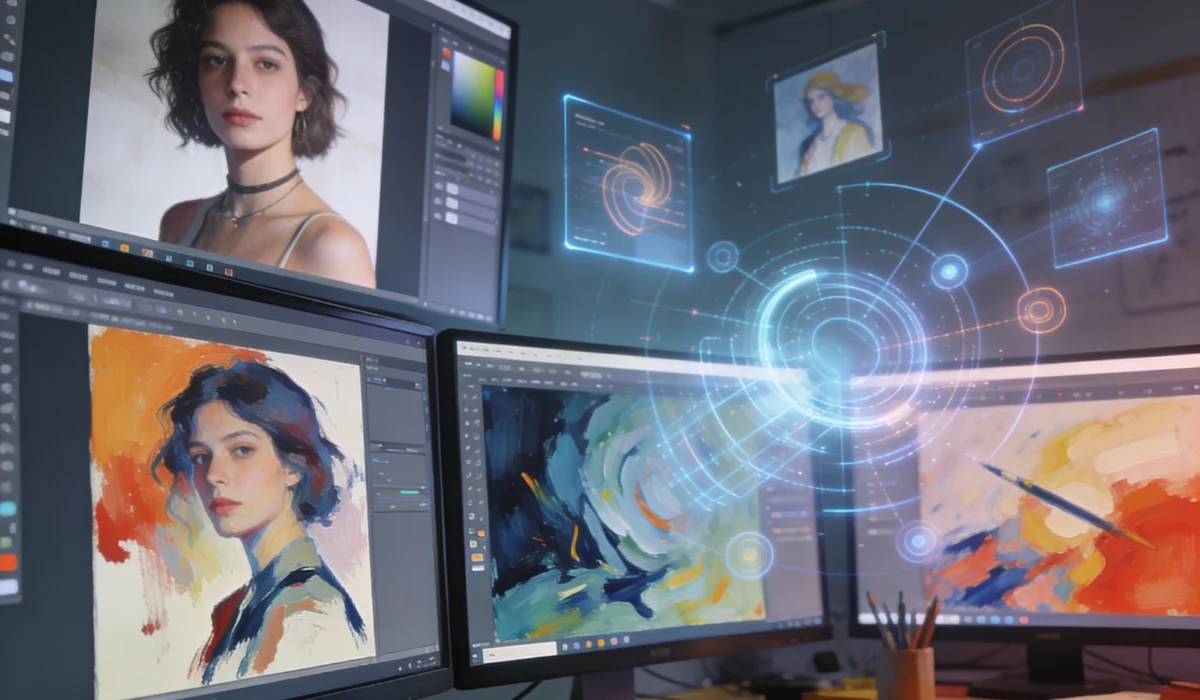
Krea AI is a creative image generation platform designed to help users explore ideas visually. It blends an intuitive interface with powerful models capable of producing varied artistic styles- from photorealistic to abstract, painterly renderings.
Key Characteristics of Krea AI:
- User-Friendly Prompting: Simplified text prompt design aimed at quick ideation.
- Community Themes: A strong emphasis on thematic exploration allows users to browse and remix creative prompts and styles inspired by others.
- Style Exploration: Encourages experimenting with mood, atmosphere, and concept iterations.
- Rapid Visual Brainstorming: Great for concept artists, storyboards, and idea validation.
Krea AI’s design philosophy focuses on fast creative exploration, making it ideal for users who want inspiration quickly without needing deep technical prompt engineering.
What Is Leonardo AI?
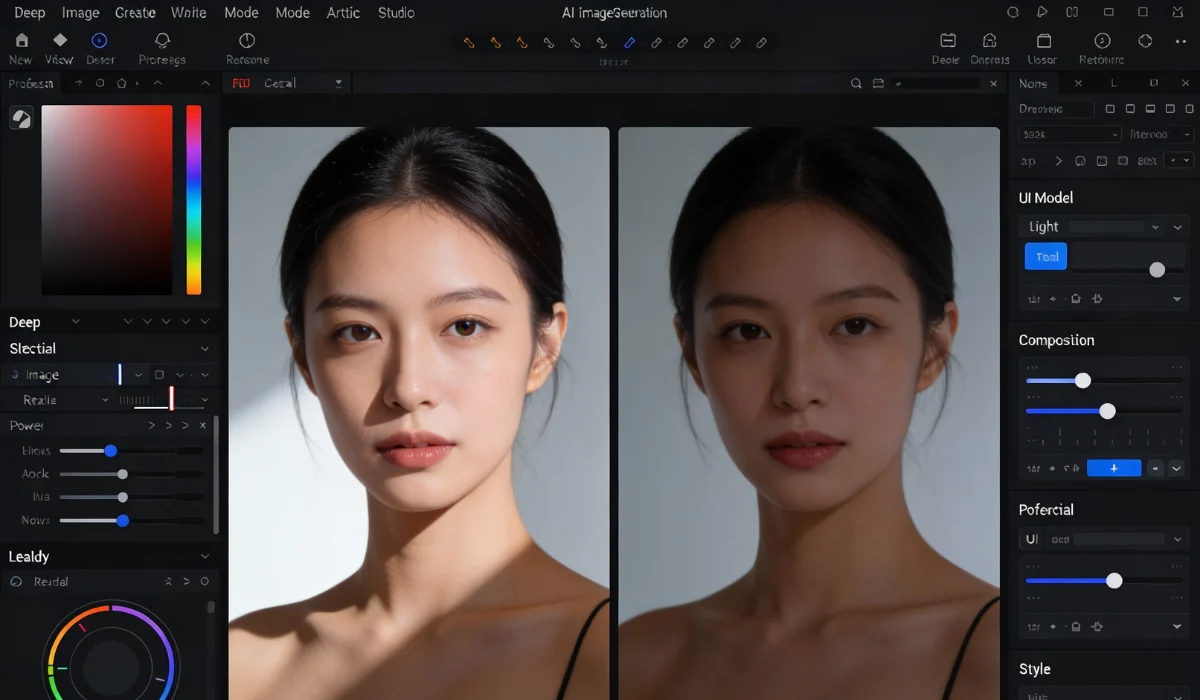
Leonardo AI, on the other hand, is a robust platform known for high resolution, customizable generation, and industry-level output. Leonardo has carved out a reputation for delivering detailed and polished visuals suitable for professional environments.
Key Characteristics of Leonardo AI:
- Advanced Customization: Users have more controls over artistic attributes, scene composition, and generation style.
- Asset Management: Designed to support workflows where the outputs are used in larger production pipelines.
- Model Variants: Offers different generation models optimized for different tasks (e.g., character design vs landscapes).
- Community Collaboration: Built-in galleries and shared assets help users refine and showcase their work.
Leonardo AI leans toward professional creative workflows, especially in entertainment, design studios, and marketing, where output quality and control are paramount.
Which is Easy to Use: Krea or Leonardo AI
A common question when exploring these tools is: How easy is it to get started?
Krea AI’s Approach: Immediate Creativity
One of Krea AI’s biggest advantages is its simplicity. Users can jump in with a text prompt and quickly generate visuals without worrying about technical parameters. The interface is designed to reduce friction:
- Minimal setup
- Guided prompt suggestions
- Visual prompt history
- Instant theme browsing
This makes Krea AI excellent for beginners and people who want rapid ideation without spending time mastering controls.
However, the trade-off is that deep customization, such as controlling lighting nuance, fine-grained rendering options, or multi-stage compositions, is less extensive than in more advanced tools.
Leonardo AI: Power at the Expense of a Learning Curve
Leonardo AI offers more controls, which means the learning curve is steeper. Users can adjust variables like:
- Aspect ratio
- Style weight
- Texture complexity
- Rendering filters
- Preset models for specific outputs
This means Leonardo takes longer to master, but once you know how to wield its tools, the creative possibilities broaden significantly.
In short:
- Krea AI: Easier to start, faster to ideate.
- Leonardo AI: Takes time to learn, but offers deeper control.
Also Read: Top 10 Generative AI Tools for Creativity and Productivity
Creative Output Quality: Aesthetic Versus Precision
At the heart of this comparison is the quality and creative depth of the generated images.
Krea AI’s Strength: Creative Diversity
Krea AI’s generation leans more toward creative exploration. Its outputs often have:
- Bold artistic interpretations
- Inventive compositions
- Stylistic variety
For example, if you ask for “a surreal dreamscape with floating cities,” Krea might give you interpretations that are imaginative and visually surprising.
However, this creative freedom can sometimes come at the cost of precision. Details may be loosely rendered, and specific design elements might be interpreted more abstractly.
This makes Krea ideal for:
- Mood boards
- Concept ideation
- Story illustrations
- Visual brainstorming
Leonardo AI’s Strength: Detail, Realism, Consistency
Leonardo AI shines when you need professional-grade visuals with clarity and technical detail. Its systems are tuned to:
- Maintain consistent anatomy in characters
- Produce high resolution and sharp edges
- Reflect precise lighting and texture detail
- Generate production-ready assets
Given the same prompt, Leonardo AI often delivers outputs that feel more polished and reliable, especially for realistic or semi-realistic imagery.
In contexts where visual fidelity matters, such as game art concepts, branding assets, or product visuals, Leonardo’s output generally edges ahead.
Prompting Experience: Accessibility vs Precision
How you interact with these platforms matters a lot.
Krea AI: Simplicity First
Krea’s prompting approach is accessible. Users can write short prompts and rely on the platform’s interpretation. There are also theme templates and examples, which help users without prior engineering experience.
Leonardo AI: Precision Through Detail
Leonardo AI encourages more detailed prompts. Users can specify artistic parameters, texture details, composition notes, and model types. This results in a more tailored output, but requires users to think more precisely.
Example:
- Krea prompt:
“A dreamlike, surreal, futuristic cityscape glowing at sunset with rich, vibrant tones.” - Leonardo prompt:
“An ultra-detailed futuristic metropolis at golden hour, featuring cinematic lighting, gleaming glass skyscrapers, gentle atmospheric haze, and crisp architectural lines.”
The second prompt gives Leonardo much more to work with, and the result is usually more refined.
Customization & Control
This is where the differences widen significantly.
Krea AI: Guided Exploration
Krea’s customization is streamlined. You can adjust style presets and explore variations, but the depth of control is limited when compared to Leonardo.
This is adequate for users who want creative variety without complexity, but it falls short for advanced users who need precise control over every aspect of the image.
Leonardo AI: Full Creative Control
Leonardo’s platform provides:
- Style transfer controls
- Scene pointers
- Parameter scaling
- Model selection
- Aspect & resolution management
This means artists can tailor visuals to exact specifications, whether that’s precise lighting, architectural accuracy, or character design fidelity.
For example, game developers can generate concept art that closely matches their vision, even in iterative stages.
Collaboration & Community Features
Both platforms offer community features, but they differ in purpose.
Krea AI’s Community Vibe
Krea emphasizes shared prompts and styles. Users can browse popular themes, remix ideas, and explore creative styles generated by others.
This fosters a creative community where inspiration flows freely. It’s especially useful for:
- Beginner creatives
- Visual inspiration seekers
- Shared idea generation
Leonardo AI’s Professional Network
Leonardo focuses on asset sharing and collaboration workspace features, allowing teams to:
- Share generated assets
- Organize designs
- Embed images into project workflows
This makes it more suitable for studio environments or professional creative teams.
When to Use Krea AI and Leonardo AI?
Both have strong use cases, but they lean in different directions.
Krea AI is Best for
- Concept artists who need rapid ideation
- Creative brainstorming and inspiration boards
- Storytelling visuals
- Mood & theme exploration
- Quick prototype visuals
Leonardo AI is Best for
- Professional designers and illustrators
- Game and entertainment concept art
- Marketing assets
- Brand visual creation
- High fidelity and detailed render requests
What is the Price of These AI Image Generators
Pricing is a practical concern for most users. While both platforms typically offer tiered plans, the details can change over time.
Here’s a general comparison:
Krea AI:
- Often more affordable
- May include free tiers with limited credits
- Lower entry barrier for casual users
Leonardo AI:
- May come with more expensive subscription tiers
- Professional-grade credits for higher resolution and advanced features
- Deeper investment but higher creative output
Always check current pricing on each platform to make an informed choice.
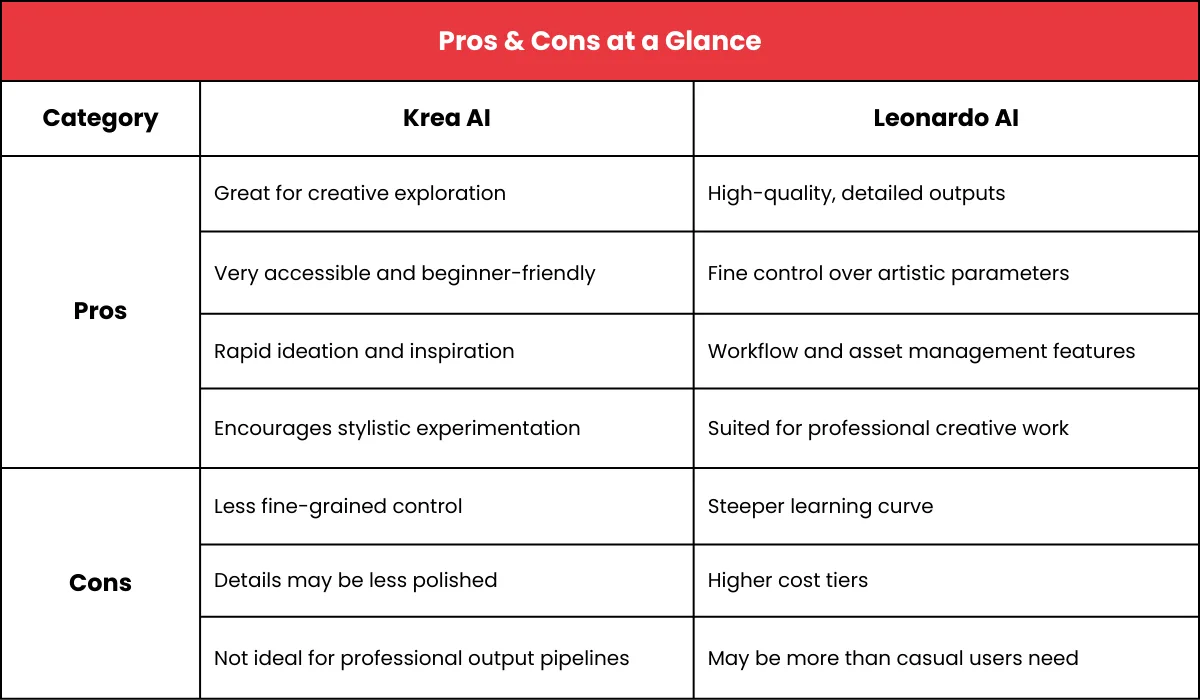
Pros & Cons at a Glance
Final Verdict: Which AI Image Tool is Best for Creativity?
The answer ultimately depends on what “better creative results” means to you.
Choose Krea AI if:
- You want quick creative iteration
- You are experimenting with ideas
- You prefer simplicity
- You want fun, artistic visuals without complex controls
Krea AI is ideal for creatives who prize inspiration, exploration, and speed over technical specificity.
Choose Leonardo AI if:
- You need high-resolution, detailed images
- You are working in a professional or commercial context
- Your workflow requires precision control
- You want output suitable for production use
Leonardo AI is best for users who require professional polish, full control, and production-ready assets.
Conclusion
Both Krea AI and Leonardo AI are powerful AI image generators, but they serve slightly different audiences.
- Krea AI fuels imagination and rapid exploration. It is a playground for creatives who want to play with ideas quickly and visually.
- Leonardo AI delivers depth and control. It is geared toward professionals and advanced creators who need precision in every image.
Your choice should align with your goals. If you are after conceptual exploration, Krea might be your best bet. If you need polished visuals with control and consistency, Leonardo likely takes the lead.
Frequently Asked Questions (FAQs)
1. What is the main difference between Krea AI and Leonardo AI?
Krea AI focuses on quick creative exploration, while Leonardo AI prioritizes detailed, professional-quality image generation.
2. Which AI image generator is better for beginners?
Krea AI is better for beginners due to its simple interface and easy prompt handling.
3. How does Softude help businesses adopt AI-powered creative solutions?
Softude helps businesses integrate AI tools by offering strategic consulting, customization, and scalable AI-driven solutions tailored to their goals.
4. Can Softude customize AI tools for business needs?
Yes, Softude customizes AI solutions to align with specific business workflows, branding, and performance requirements.
5. Is Leonardo AI suitable for professional use?
Yes, Leonardo AI is well-suited for professional design, marketing, and game development projects.
6. Which platform produces more realistic images?
Leonardo AI generally delivers more realistic and detailed images than Krea AI.
7. Which AI tool offers more creative freedom?
Krea AI offers creative freedom through experimentation, while Leonardo AI offers freedom through precise control.
8. Can these tools be used for commercial projects?
Yes, both can be used commercially, depending on their licensing plans.