Softude
DevOps AI agents help teams manage software releases, monitor systems, and respond to production issues. They connect with tools such as CI/CD pipelines, monitoring platforms, and runbooks to check deployments, investigate alerts, and identify possible causes of failures.
Their biggest benefit is helping teams find out what went wrong and which change may have caused it. However, they need accurate system information and clear permissions before taking action in production.
Key highlights
- About 70% of outages trace back to a change, which makes every software deployment the riskiest moment in production.
- A single hour of high-impact downtime costs businesses $1.85 million on average. DevOps AI agents reduce that downtime cost by responding to alerts faster.
- DevOps AI agents help teams identify risky deployments, monitor releases, and link production errors to recent code or configuration changes.
- Native AI agents for DevOps suit teams using a single cloud platform, while custom agents offer more flexibility for hybrid environments, internal tools, and complex approval workflows.
What Is a DevOps AI Agent?

A DevOps AI agent is an AI system that uses information from software delivery and production tools to understand problems and suggest or take action.
It works with tools that teams already use, such as GitHub, Jenkins, Argo CD, Kubernetes, Prometheus, Datadog, PagerDuty, and Slack.
Using AI agents across the software delivery process is often called agentic DevOps.
How is a DevOps AI agent different from scripts and CI/CD automation?
Scripts and CI/CD pipelines follow predefined rules. For example, a pipeline builds, tests, and deploys code, while a script may restart a pod when a health check fails.
An AI agent can investigate situations that require more judgment. If response times increase after a deployment, it can compare code changes, metrics, and logs to determine whether the issue is related to the release, a slow dependency, or a cold cache.
This helps teams understand the problem instead of simply reacting to an alert.
DevOps AI Agent Vs Traditional Automation Comparison
| Feature / Aspect | Scripts & CI/CD Automation | DevOps AI Agent |
| Execution Logic | Operates strictly on predefined, deterministic rules and fixed workflows. | Evaluates situations using reasoning, context, and pattern judgment. |
| Problem Solving | Executes immediate reactive steps (e.g., building code, restarting a failed pod). | Conducts root-cause investigations by cross-referencing metrics, logs, and code changes. |
| Handling Novel Issues | Fails or stalls when encountering conditions outside programmed rules. | Investigates complex anomalies (e.g., slow dependencies vs. cold caches vs. bad releases). |
| Team Support | Automates repetitive operational tasks. | Provides actionable context and insights so teams understand why an issue occurs. |
Why Are Teams Adding AI Agents To DevOps Now?
Teams are adopting AI agents because software releases are becoming more frequent, making it harder to monitor every change manually.
AI coding tools help developers produce code faster, but more releases can also mean more opportunities for production issues. AI agents help by handling repetitive investigation tasks and giving engineers the information they need to respond faster.
Google’s 2025 DORA report found that AI adoption among software professionals had reached 90%. The report also highlights that AI’s impact depends on the quality of the engineering processes around it. Teams with weak testing, release management, and monitoring practices may struggle to manage the increased pace.
New Relic’s 2026 Observability Forecast, based on a survey of 2,575 engineering and IT leaders, estimates that high-impact outages cost businesses an average of $1.85 million per hour.
How Are AI Agents Used In The DevOps Workflow?
AI agents support three main areas of DevOps workflows: deployment, monitoring, and incident response.
They connect information from different tools, including pipeline logs, metrics, traces, and change history, to help teams make better decisions.
How do AI agents help with deployment automation?
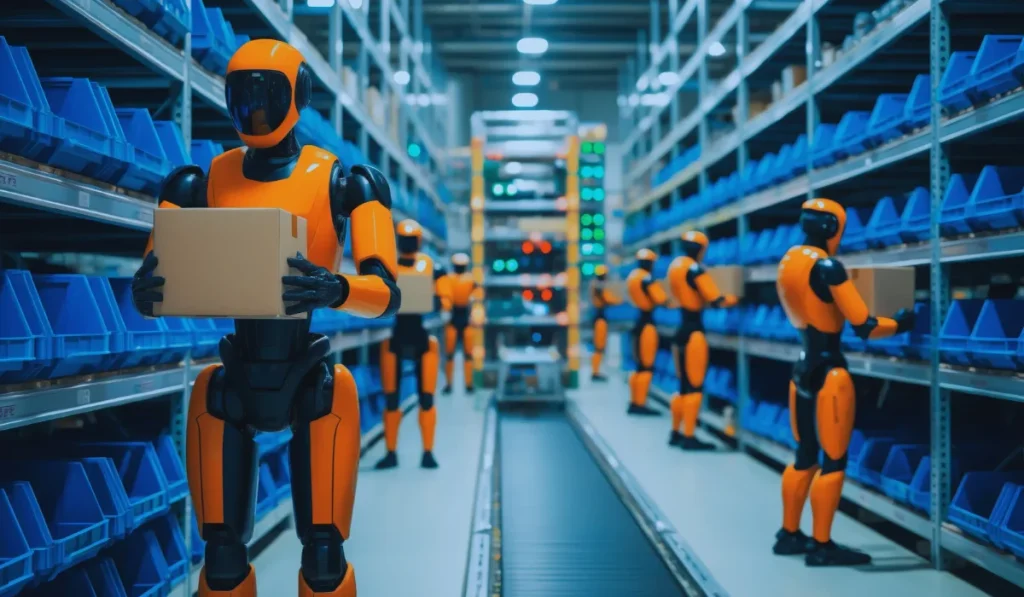
AI agents help teams identify risky changes before deployment and monitor releases as they happen.
According to Google’s SRE book, roughly 70% of outages are caused by changes to live systems. This makes release checks especially important.
- Before a release: The agent reviews code changes and pipeline results to identify risks, such as database migrations, feature flag changes, infrastructure changes that could delete resources, or deployments during an active incident.
- During a rollout: The agent monitors a canary or blue-green deployment and compares the new version with the existing one. It checks latency, traffic, errors, and resource usage, then recommends whether to continue, pause, or roll back.
- After a release: The agent connects new errors to the relevant code change or commit, helping engineers find and fix deployment problems faster.
How do AI agents improve monitoring and alerting?
AI agents help reduce alert noise by grouping related alerts into a single incident and adding useful context.
For example, if a shared database slows down, several services may generate alerts at the same time. Instead of sending dozens of separate notifications, the agent can group them into one incident.
Before notifying the on-call engineer, it can include:
- The most recent deployment or configuration change
- The team responsible for the affected service
- The relevant runbook and troubleshooting steps
- The impact on the service’s error budget
Agents can also identify alerts that rarely lead to action, helping teams review and remove unnecessary notifications.
How do AI agents speed up incident response?
AI agents help engineers investigate incidents as soon as an alert fires. They collect information from different tools, so the team spends less time gathering evidence.
A typical process looks like this:
- Compare the start of the issue with recent deployments, configuration changes, feature flag updates, and infrastructure changes.
- Collect relevant logs, traces, and Kubernetes events, such as pods stuck in CrashLoopBackOff.
- Check the service runbook and share a likely cause, along with supporting evidence, in the incident channel.
- Draft a fix as a pull request or suggest a runbook action for an engineer to approve.
Google’s SRE guidance highlights how documented procedures can improve incident recovery. Well-maintained runbooks give AI agents a clear set of steps to follow when investigating problems.
What DevOps AI Agent Should Be Allowed to Do?
Always allow the DevOps agent to investigate problems and make recommendations. Once it has demonstrated reliable results, you can allow it to perform selected actions with approval.
High-impact production changes should remain under clear human control.
| Deployment | Risk checks and canary analysis | Rollbacks and pausing releases | Production approvals and database schema changes |
| Monitoring | Grouping alerts and adding context | Silencing noisy alerts | Critical service thresholds |
| Incident response | Investigation and incident summaries | Restarting services and scaling resources | Code and infrastructure changes |
Clear AI agent guardrails, approval rules, and limits help teams control what agents can do.
Gartner predicts that 40% of enterprises will reduce the autonomy of or shut down AI agents by 2027 because of governance problems discovered after production incidents.
What Are The Limitations of DevOps AI Agents?
The main challenges of agentic AI in DevOps are missing information, limited integration with older systems, security risks, and a lack of trust.
- Missing context: If deployment events are not connected to monitoring tools, the agent may struggle to identify which release caused a problem. Outdated runbooks and incomplete service catalogs can also lead to incorrect conclusions.
- Legacy systems: Older applications may not provide enough logs, metrics, or traces for the agent to investigate effectively.
- Permissions: Giving an agent broad administrator access creates unnecessary risk. Use a separate identity with read-only access where possible, and route changes through pull requests or approval workflows.
- Trust: Engineers need evidence that an agent can investigate incidents accurately before relying on it. Testing it against past incidents is a practical way to evaluate an AI agent’s performance before deployment.
Teams should also track what their agents do. Logging queries, decisions, tool calls, and actions helps engineers review results and identify problems.
Native vs. Custom DevOps AI Agents: Which Is Right For You?
Choose a native agent if most of your systems run on one cloud platform and use its supported tools.
Choose a custom-integrated agent if your environment includes multiple clouds, on-premises systems, internal tools, or approval processes that a native agent cannot fully support.
What are native DevOps AI agents?
Native DevOps AI agents are built into cloud platforms. Examples include AWS DevOps Agent and Azure SRE Agent.
They are often easier to set up because they already integrate with their provider’s services, identity systems, and security controls.
However, their capabilities depend on the integrations and systems they support.
When does a custom DevOps AI agent make sense?
A custom agent is useful when important operational information is spread across different systems.
For example, your team may need to connect:
- Workloads running across AWS, Azure, and on-premises data centers
- Internal deployment tools, service catalogs, and custom runbooks
- Change approvals managed through ServiceNow or a change advisory board
- Audit and data residency requirements that need tighter control over data and actions
Custom agents can connect to these systems through tools and integrations, including MCP servers.
Building DevOps AI Agents For Your Delivery Stack
DevOps AI agents are most useful when they can access reliable change history, follow current runbooks, and work within clear permission and approval rules.
Start with alert triage and incident investigation. Once the agent consistently produces accurate results, gradually allow it to perform more tasks.
Softude builds custom AI agents for DevOps workflows. Our cloud and DevOps team can help connect these agents to CI/CD pipelines, Kubernetes clusters, monitoring platforms, and ticketing systems.
FAQs
Is a DevOps AI agent the same as an AI agent deployment platform?
No. An AI agent deployment platform provides the infrastructure to host and run AI agents. For example, Amazon Bedrock AgentCore supports agent deployment and operation.
A DevOps AI agent performs operational tasks, such as investigating incidents and analyzing deployments. An agent may use an agent platform to run.
Can an AI agent roll back a release on its own?
Yes, if you define clear rules for when it can do so. For example, a canary deployment could roll back automatically when its error rate exceeds a predefined limit. For situations outside those rules, the agent should recommend a rollback and wait for approval.
Should an AI agent fix production issues without human approval?
Not initially. Start by allowing the agent to diagnose problems and prepare fixes as pull requests that engineers can review and test.
Once it has demonstrated reliable performance, you can automate low-risk actions, such as restarting a known failing worker, under clearly defined conditions.
Can an AI agent write the post-incident report?
Yes. It can prepare a first draft using the incident timeline, alerts, code changes, and actions taken.
An engineer should review the report, confirm the root cause, and add the key decisions and lessons learned before sharing it.
What’s the difference between AIOps and DevOps AI agents?
AIOps tools analyze operational data to detect unusual behavior, identify patterns, and reduce alert noise.
DevOps AI agents go a step further. They investigate issues across multiple tools, identify likely causes, and recommend or perform actions within their permissions.