Softude
Building a chatbot from the ground up can take anywhere from six months to over a year, depending on complexity, and that is before you consider infrastructure, testing, and ongoing maintenance costs.
AI chatbot app development platforms significantly cut that timeline. Teams that would otherwise spend months on foundational engineering can go from concept to deployed chatbot in weeks.
That speed matters because the earlier your chatbot is live, the earlier it starts handling support queries, qualifying leads, or reducing internal ticket volume. The return shows up faster than most teams expect.
However, the choice of development platform matters. Here are the popular build options and which one suits your primary goal of building a chatbot.
Key Highlights
- Chatbot platforms handle the foundational infrastructure so your team focuses on building the conversation, not the engine beneath it
- There are three categories to know: AI chatbot builders, low-code and no-code builders, and enterprise platforms
- Your use case and your team’s technical capacity are the two factors that determine which category fits
- No-code platforms work well for simple, focused use cases; enterprise platforms are built for compliance, deep integrations, and scale
- Open-source options like Rasa and Botpress give you flexibility, but they need technical expertise to run properly
- When no existing platform fits your workflows, data, or compliance requirements, custom AI chatbot app development is the right move
What Is a Chatbot Development Platform?
A chatbot development platform or chatbot app builder is the environment, toolset, or framework that lets you design, build, deploy, and manage AI-powered chatbots. Instead of writing conversation logic, NLP models, and deployment pipelines from scratch, you work within a platform that already handles those components.
You focus on what the chatbot should say, how it should respond, and where it should live; the platform handles the mechanics underneath.
What Makes a Good Chatbot App Builder?
Not all chatbot app builders are built the same way, and the differences matter more at scale. A few features to evaluate before committing to any platform:
- Integration depth. A chatbot that cannot connect to your CRM, ticketing system, or product database has limited real-world utility. Check whether the platform supports native integrations with the tools you already use, or whether you will need custom API work to make it connect.
- NLP and AI quality. The strength of the underlying language model determines how well the chatbot handles varied, unscripted user input. Rule-based platforms handle predictable queries well but struggle the moment a user phrases something unexpectedly. LLM-powered platforms handle natural language far better but need careful guardrails to stay on topic.
- Channel flexibility. Your users are not all in the same place. A platform that only supports web chat will limit your reach. Look for support across the channels your customers or employees actually use.
- Customization ceiling. Every chatbot development platform has a limit on how much you can customize behavior, responses, and logic. For simple use cases, that is rarely a problem. For complex enterprise workflows, it often is.
- Security and compliance controls. If your chatbot handles sensitive data, the platform needs to support your compliance requirements, not as an add-on, but as a built-in capability.
What Are the Different Options to Build an AI Chatbot App?
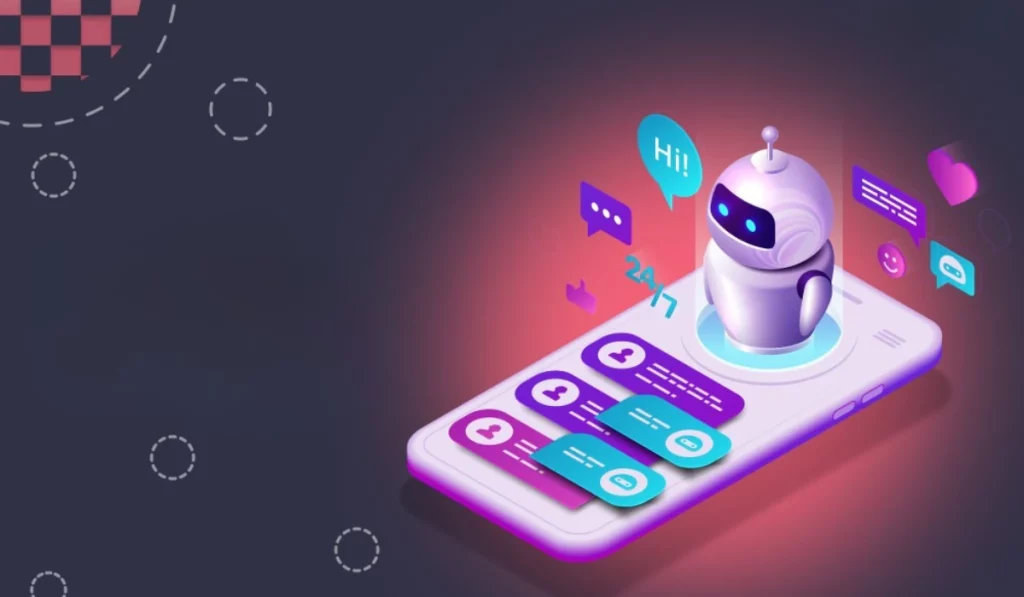
There are 3 chatbot development options depending on what you need the bot to do, how complex your workflows are, and what technical capacity your team has.
AI Chatbot Builders
These are developer-friendly environments built around modern LLMs and NLP frameworks, giving developers and technical product teams meaningful control over how the chatbot thinks and responds, without the overhead of building model infrastructure from scratch. If your team has some technical capacity and your use case goes beyond what a drag-and-drop tool can handle, this is the right category to evaluate.
What Are the Best AI Chatbot Builder Platforms
- Botpress
Botpress is an open-source AI chatbot app builder that has evolved significantly with the rise of LLMs. It lets teams build chatbots that combine structured conversation flows with generative AI responses, giving you predictability where you need it and flexibility where you want it.
It supports deployment across web, WhatsApp, Telegram, and other channels, and includes built-in integrations with common business tools.
| Best for | Teams that want LLM-powered chatbots with flow control |
| Pros | Open-source core, strong community, flexible AI integration, multi-channel |
| Cons | Steeper learning curve than no-code tools; some advanced features require the paid tier |
| Pricing | Free open-source plan available; paid plans start at around $410/month |
- Voiceflow
Voiceflow started as a voice app builder and has expanded into a full conversational AI app design platform. It is particularly strong for teams that want to collaborate on conversation design before handing off to developers for integration. Its visual canvas makes complex dialogue flows manageable, and it supports both rule-based and AI-powered responses.
| Best for | Teams that need collaborative conversation design with developer handoff |
| Pros | Intuitive visual builder, strong prototyping capabilities, supports voice and chat |
| Cons | Less suited for deep backend integrations without developer involvement |
| Pricing | Custom pricing plans for agencies, partners, and businesses |
- Rasa
Rasa is a fully open-source conversational AI framework built for teams that want maximum control. It runs on your own infrastructure, which makes it a strong choice for regulated industries.
Rasa requires more engineering effort than other platforms for AI chatbot app development, but that investment pays off in flexibility and ownership.
| Best for | Engineering teams that need full control, on-premise deployment, or strict data residency |
| Pros | Fully open-source, no vendor lock-in, strong NLU capabilities, deployable on private infrastructure |
| Cons | Significant engineering effort required, no managed hosting on the free tier |
| Pricing | Open-source and free to self-host; Rasa Pro enterprise pricing available on request |
- OpenAI Assistants API
The OpenAI Assistants API lets developers build chatbots directly on top of GPT-4 and related models. It includes built-in support for persistent conversation threads, file retrieval, and function calling, which means your chatbot can pull information from documents or trigger actions in connected systems.
It is not a visual chatbot builder. This is code-first, but let you access the most capable language models available.
| Best for | Developer teams building LLM-powered chatbots with document retrieval or tool use |
| Pros | Access to GPT-4 capabilities, built-in thread management, function calling, and file search |
| Cons | No visual builder, requires developer resources, usage-based costs can scale quickly |
| Pricing | Pay-per-use based on token consumption; varies by model and usage volume |
Also Read: AI Chatbot Development Guide: Things to Consider, Types, and Cost
2. Low-Code and No-Code Chatbot Builders
If your priority is speed and your chatbot use case is relatively straightforward, this is where you start. Low-code and no-code chatbot builders are designed for business teams who need a chatbot deployed without pulling in developers.
Most of these platforms for building a conversational app use drag-and-drop interfaces, pre-built templates, and guided setup flows that get you from zero to a live chatbot in days, sometimes hours.
Low-code and no-code chatbot platforms work well for FAQ bots, lead generation chatbots, basic customer support, and simple routing.
What Are the Best Low-Code and No-Code Chatbot Platforms
- Tidio
Tidio is a customer communication platform built primarily for e-commerce and small to mid-sized businesses. It combines live chat, AI-powered chatbots, and automation in one interface. Its Lyro AI feature handles customer questions using your existing support content, making it one of the fastest platforms to get an ecommerce chatbot live without significant setup effort.
| Best for | E-commerce businesses and SMBs that need a combined live chat and chatbot solution |
| Pros | Easy setup, Lyro AI requires minimal training data, strong e-commerce integrations, including Shopify |
| Cons | Limited customization, conversation caps on lower plans, not suited for complex enterprise workflows |
| Pricing | Free plan available; paid plans start at $24.17/month, Lyro AI conversations priced separately |
- ManyChat
ManyChat specializes in conversational marketing across social channels. It is particularly strong on Instagram, WhatsApp, and Facebook Messenger, making it a practical choice for businesses that want to automate lead capture, promotional campaigns, or customer engagement on social platforms. It is less suited for internal workflows or complex support scenarios.
| Best for | Marketing teams running lead generation or customer engagement on social channels |
| Pros | Strong social channel coverage, easy flow builder, good CRM integrations for marketing use cases |
| Cons | Limited outside social and messaging channels, not designed for complex support or enterprise use |
| Pricing | Free plan available; paid plans start at $14/month |
- Landbot
Landbot takes a conversational form approach, turning what would typically be a static web form into an interactive chat experience. It works well for lead generation, onboarding flows, surveys, and simple customer journeys. Its visual builder is one of the more intuitive in this category, and it supports embedding across websites and WhatsApp.
| Best for | Lead generation, onboarding flows, and conversational landing pages |
| Pros | Highly visual builder, strong for structured conversation flows, good WhatsApp support |
| Cons | AI capabilities are limited compared to builder platforms, not designed for open-ended conversations |
| Pricing | Free plan available; paid plans start at €40/month |
- Chatfuel
Chatfuel is one of the older players in the no-code chatbot space, originally built for Facebook Messenger and now expanded to WhatsApp and Instagram. It is straightforward to set up and works well for businesses that want to automate customer FAQs, product recommendations, or order status queries on messaging platforms.
| Best for | Businesses automating customer interactions on WhatsApp, Instagram, and Messenger |
| Pros | Simple setup, reliable for rule-based flows, good for e-commerce automation |
| Cons | Limited AI depth, restricted to messaging channels, and the customization ceiling is low |
| Pricing | Plans start at $19.99/month for Facebook and Instagram; WhatsApp plans start at $49/month |
3. Enterprise AI Chatbot Platforms
As chatbot use cases grow in scope, spanning multiple departments, connecting to core business systems, or operating in regulated industries, the requirements change significantly. Enterprise AI chatbot platforms are built for this level of complexity.
They offer deeper integration capabilities, stronger security and compliance controls, multi-language support, and the kind of administrative oversight that large organizations need when deploying AI at scale.
What Are the Best Enterprise AI Chatbot Platforms
- Microsoft Copilot Studio
Formerly known as Power Virtual Agents, Microsoft Copilot Studio is Microsoft’s enterprise chatbot platform built within the Power Platform ecosystem. It integrates natively with Microsoft 365, Dynamics 365, Teams, and Azure services, making it a natural fit for organizations already running on the Microsoft stack.
It supports generative AI responses powered by Azure OpenAI, and its low-code interface makes it accessible to business users while still offering extensibility for developers.
| Best for | Enterprises running on Microsoft 365 or Dynamics 365 |
| Pros | Deep Microsoft ecosystem integration, generative AI built in, low-code interface, strong governance controls |
| Cons | Less flexible outside the Microsoft ecosystem, licensing can get complex at scale |
| Pricing | $30/month and a pre-purchase plan available |
- Google Dialogflow CX
Dialogflow CX is Google’s enterprise-grade conversational AI platform, designed for building complex, multi-turn conversations across voice and chat channels. It offers a visual flow builder that handles sophisticated dialogue management, making it suitable for use cases that involve branching logic, multi-step processes, or high conversation volumes. It integrates naturally with Google Cloud services and supports over 50 languages.
| Best for | Organizations building complex multi-turn chatbots or voice bots on Google Cloud |
| Pros | Strong NLU capabilities, visual flow builder for complex dialogue, multi-language support, scalable infrastructure |
| Cons | Steeper learning curve than simpler platforms, costs can rise quickly with high conversation volumes |
| Pricing | Charges based on usage |
- IBM watsonx Assistant
IBM watsonx Assistant is built for enterprises that need a high degree of control over how their chatbot behaves, particularly in regulated industries like financial services, healthcare, and government.
It uses machine learning and retrieval-augmented generation to deliver accurate, grounded responses. Its strength lies in its enterprise readiness: robust security, compliance certifications, and deployment flexibility, including on-premises options.
| Best for | Regulated industries requiring compliance controls and deployment flexibility |
| Pros | Strong enterprise security, on-premise deployment option, RAG-powered responses, extensive compliance certifications |
| Cons | Higher implementation complexity, and pricing is not straightforward for smaller deployments |
| Pricing | Lite plan free up to 1,000 monthly active users; Plus plan starts at $140/month |
- Amazon Lex
Amazon Lex is the conversational AI service underlying Amazon Alexa, now available to enterprises through AWS. It is a strong choice for organizations already invested in the AWS ecosystem, offering tight integration with Lambda, S3, and other AWS services.
Lex handles both voice and text interactions and scales reliably under high load, making it well suited for contact center automation and high-volume customer service deployments.
| Best for | AWS-native organizations building high-volume voice or text chatbots |
| Pros | Proven at scale, deep AWS integration, strong voice capabilities, pay-per-use pricing |
| Cons | Requires AWS expertise to implement well, less intuitive for non-technical users |
| Pricing | Pay-as-you-go model |
How to Choose the Right Chatbot App Builder for Your Business

Choosing a chatbot app builder gets easier once you stop comparing feature lists and start with two questions: what does the chatbot need to do, and who will build and maintain it? Everything else follows from there.
- Start With Your Primary Goal
The use case you are solving for determines what the platform must be capable of. A chatbot built for lead generation has very different requirements from one handling IT support tickets or patient intake in a healthcare setting.
Customer support: Needs strong NLP to handle varied, unscripted queries, a clean handoff mechanism to live agents for complex issues, CRM integration for conversation context, and conversation history to avoid making customers repeat themselves.
Lead generation: Needs flexible form logic, CRM sync to pass qualified leads downstream, and channel coverage across the platforms where your prospects actually spend time: web, WhatsApp, or social.
Internal IT help desk: Needs ticketing system integration, role-based access controls, escalation paths, and compatibility with your ITSM platform. ServiceNow Virtual Agent or IBM WatsonX Assistant tends to fit here better than general-purpose tools.
E-commerce and sales: Needs access to live product catalog data, order management integration, and the ability to personalize responses based on customer history.
- Factor In Your Team’s Technical Capability
The best platform for AI chatbot app development is also one your team can realistically implement and maintain. A platform that requires significant engineering effort but lands in a team without that capacity is a risk, not an investment.
| Team Profile | Recommended Path |
| No technical resources | No-code builder |
| Some technical capacity | Low-code or AI chatbot builder |
| In-house development team | AI builder or enterprise platform |
| Complex needs with compliance requirements | Enterprise platform or custom development |
Technical capability is not just about who builds it. It is also about who owns it after launch. A chatbot platform that is straightforward to deploy but difficult to update or monitor creates a different kind of problem, one that shows up six months in when the chatbot starts underperforming, and no one on the team knows how to fix it.
Which Platform Should You Choose for AI Chatbot App Development?
Use this as a starting point, not a definitive answer. Your specific systems, compliance requirements, and existing vendor relationships will all influence the final decision.
| Factor | No-Code | Low-Code / AI Builder | Enterprise Platform | Custom Development |
| Time to Deploy | Days | Weeks | Months | Months |
| Technical Requirement | None | Moderate | High | High |
| Customization | Low | Medium | High | Full |
| Integration Depth | Basic | Moderate | Deep | Deep |
| Compliance Control | Limited | Moderate | Strong | Full |
| Scalability | Limited | Moderate | High | High |
| Cost (Upfront) | Low | Medium | High | Higher |
| Best For | Simple use cases | Mid-complexity needs | Enterprise-grade scale | Unique workflows or data |
The right chatbot development option is rarely the most sophisticated option available. It is the one that matches the complexity you actually have today, with enough room to grow as your requirements evolve.
When to Consider Custom AI Chatbot Development
Chatbot platforms cover a wide range of use cases, but they all have boundaries. Custom AI chatbot development is the right path when:
- Your workflows are too specific for any platform’s logic to accommodate cleanly
- Your data cannot leave your environment due to compliance or data residency requirements
- Your core systems are custom-built or legacy, making standard integration connectors unreliable
- You are deploying across multiple departments, each with different workflows and data sources
- You need full ownership of the codebase, model, and how the system evolves over time
If more than one of these applies to your situation, custom AI chatbot app development is the right option.
Softude works with enterprises across industries to build conversational chatbot apps that deliver measurable value. From identifying the right use case, custom AI engineering, legacy system integration, model training, to ongoing maintenance, our AI chatbot development services cover the full lifecycle
Conclusion
The right option to build an AI chatbot app is not the most feature-rich one available. It is the one that matches the problem you are actually solving. Start with the use case, factor in your team’s real capacity to build and maintain what you deploy, and let those two things drive the decision. Businesses that get this sequencing right spend less time reworking their choice and more time seeing results from it.
Frequently Asked Questions
For Microsoft-stack organizations, Copilot Studio is a natural fit. For complex multi-turn conversations on Google Cloud, Dialogflow CX is strong. For regulated industries, IBM WatsonX Assistant is worth evaluating. For LLM-powered flexibility without building from scratch, Botpress is a solid starting point.
Rasa and Botpress are the two strongest chatbot development options. Rasa gives you full control and runs on your own infrastructure. Botpress is more visual and supports LLM-powered responses alongside structured flows. Both require technical expertise to deploy and maintain properly.
No-code platforms like Tidio, ManyChat, Landbot, and Chatfuel let you build and deploy chatbots using visual flow builders and pre-built templates. They handle predictable, structured conversations well.
A chatbot app builder gives you pre-built infrastructure and defined integration options. Custom development starts from your requirements and builds outward. Builders are faster to start. Developing a chatbot app from the start costs more upfront but gives you full ownership and no platform constraints.
No-code platforms run from $15 to $500 per month. Enterprise platforms start at $140 to $200 per month, with additional implementation costs. Custom AI chatbot development ranges from $25,000 to $150,000 or more, depending on complexity, with annual maintenance adding 15 to 20 percent of the original cost.