Softude
Your ERP system holds the operational nerve center of your business: finance, procurement, inventory, HR, and supply chain. But for most employees, accessing that data still means logging in, navigating menus, running reports, and waiting. The experience is slow, and the value locked inside the system often goes untapped.
An ERP AI chatbot changes that. It gives employees and decision-makers a conversational interface to query, update, and act on ERP data in plain language. No training modules. No waiting for reports. Just answers.
Key Facts
- Overall, 88% of global organizations report using AI in at least one business function. Within enterprise structures, operations (11%), customer service (8%), and finance are leading the charge in advanced Generative AI initiatives.
- According to a Forrester study, implementing AI-enabled ERP systems delivers a 122% three-year ROI and millions in net value by converting administrative documentation hours into strategic work.
- Businesses leveraging AI-driven ERP automation have squeezed multi-day operational processes involving thousands of manual tasks down to under 35 seconds.
- McKinsey data indicates that high-performing organizations deploying advanced AI agents already attribute more than 10% of their EBIT (Earnings Before Interest and Taxes) directly to AI deployment.
- A sobering reality is that 70% of ERP AI projects have missed their initial goals due to poor alignment, unrealistic expectations, and a failure to start with small, restricted pilot programs.
What Is an ERP AI Chatbot?
An ERP AI chatbot is a conversational AI layer built directly on top of your existing ERP system. It uses natural language processing to understand business questions and execute actions inside your ERP, whether that’s pulling an inventory report, checking a vendor payment status, submitting a purchase request, or flagging an anomaly in financial data.
Unlike generic AI assistants, an ERP AI chatbot is context-aware. It understands your company’s data structures, business processes, approval hierarchies, and terminology because it’s integrated with your specific ERP environment.
How Is an ERP AI Chatbot Different From a Regular AI Chatbot?
A regular AI chatbot, even a powerful one built on a large language model, is designed for general-purpose conversation. It can answer questions, summarize text, and help with writing. But it has no connection to your business operations. Ask it what your current accounts payable balance is, and it can’t tell you.
An ERP AI chatbot is purpose-built for business operations. The differences are significant:
- Data access: It connects directly to your ERP via APIs or integrations, giving it real-time access to live operational data, not static knowledge.
- Action capability: Beyond answering questions, it can trigger workflows, submit approvals, update records, and initiate transactions inside your ERP.
- Business logic awareness: It understands your business’s rules, like approval limits, role-based data access, and process sequences, so it respects the same guardrails your ERP enforces.
- Security and compliance: Enterprise chatbots built for ERP environments are architected with role-based access control, audit logging, and data governance in mind. A general chatbot has none of this.
What Are the Benefits of an ERP AI Chatbot for Businesses?
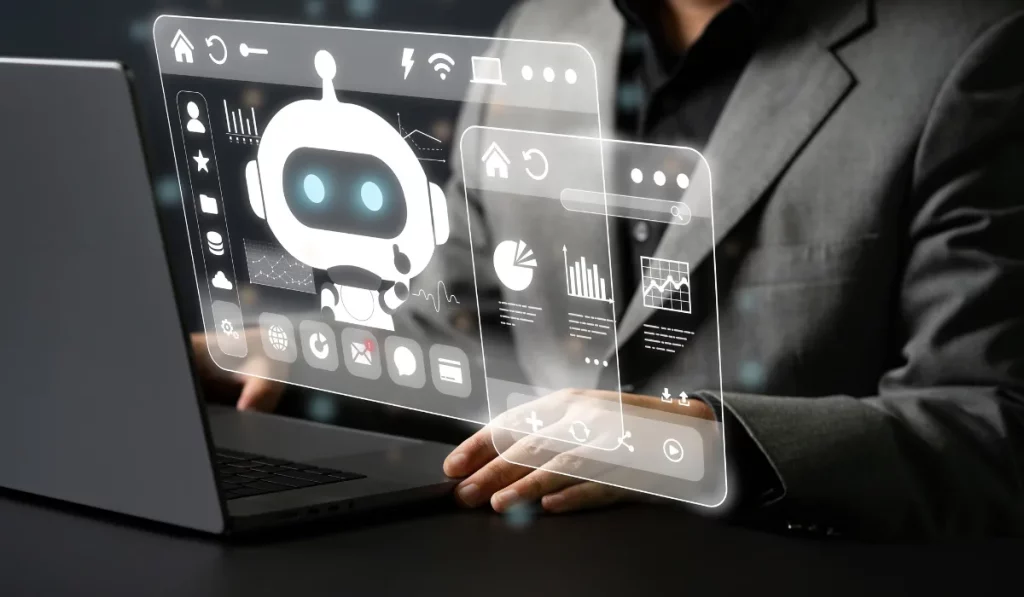
Whether you are into manufacturing, logistics, or retail, the ERP AI bot is more useful than you think. These industries are heavily data-based and need to make quick decisions.
- Faster decision-making. When executives and managers can ask a natural language question and get an immediate, accurate answer from ERP data, they make decisions faster and with better information. The alternative, waiting for a report or submitting a request to IT, introduces hours or days of latency into every decision cycle.
- Lower operational costs. ERP automation through a conversational layer reduces the volume of manual queries, report-pulling, and routine data entry. McKinsey case studies have documented 65% reductions in agent knowledge lookup time after deploying generative AI copilots in service teams. Similar gains apply to internal ERP users.
- Improved employee productivity. Employees spend less time navigating complex ERP interfaces and more time on the work those systems are supposed to support. This is particularly significant for employees who use ERP infrequently and need guidance every time they interact with it.
- Better data utilization. Most organizations are sitting on more operational data than they actively use. An ERP AI chatbot makes that data accessible to more people in your organization, which means more decisions get made with real information rather than estimates.
- Reduced IT dependency. When business users can self-serve data through a conversational AI interface, IT teams spend less time fielding ad-hoc reporting requests. That frees technical resources for higher-value work.
- Scalability without headcount. As your business grows, the volume of operational queries grows with it. A well-built enterprise chatbot scales to handle that volume without requiring proportional increases in staff.
Where Are ERP AI Chatbots Most Useful?
These conversational AIs deliver the most value in the following areas.
- Finance and accounting: Teams can query invoice statuses, month-end close progress, variance reports, or budget utilization without leaving their workflow. ERP automation through conversational queries reduces manual report-pulling by a significant margin.
- Procurement and supply chain: Buyers can check vendor status, initiate purchase orders, and receive alerts on supply chain disruptions in real time. Supply chain leaders can ask questions like “What’s our current inventory of SKU 4421?” and get an immediate, accurate answer.
- HR and workforce management: Employees can check their leave balances, submit time-off requests, or access pay information without routing through HR teams. HR itself can run workforce analytics on demand.
- IT service management: When integrated with ERP-connected ITSM tools, AI chatbots can handle service requests, asset lookups, and ticket updates at scale, which directly reduces pressure on support queues.
- Customer-facing operations: For businesses with service teams using ERP for order management, an AI customer support layer connected to your ERP can answer order status, delivery, and billing questions without human intervention.
Real Examples of Businesses Using AI for ERP Automation
JK Cement has adopted SAP Business AI within its ERP environment to support procurement processes. Employees can interact with ERP data in a conversational way, making purchasing workflows faster and more efficient.
PwC Germany uses SAP’s AI assistant, Joule, to help employees navigate ERP systems, retrieve information, and complete business tasks through a chat interface rather than traditional menus.
Thal Limited incorporated SAP’s AI capabilities during its ERP modernization project. The chatbot helps automate routine business processes and improves employee productivity through conversational access to ERP functions.
Oracle has deployed AI agents within Oracle Fusion ERP for customers. These agents can create purchase requisitions, process invoices, answer ERP questions, and automate approvals using natural language conversations.
No. And this is worth being direct about, because it’s a question many executives are tempted to ask when they see the potential of conversational AI.
Replacing an ERP is one of the most disruptive and expensive decisions a business can make. The implementation timelines stretch 18 to 36 months. The business disruption during migration is significant. And no new ERP will arrive pre-configured to your specific workflows.
Building an AI chatbot from scratch without an ERP is equally counterproductive. A chatbot is only as useful as the data it can access. Without an integrated operational data source, it has nothing meaningful to surface.
The right approach is to integrate an AI chatbot with your existing ERP. Whether you are on SAP, Oracle, Microsoft Dynamics, NetSuite, or another platform, a well-architected ERP AI chatbot connects to your current system through APIs, accesses your live data, and delivers conversational AI capabilities on top of what you already have.
This preserves your existing investment while adding a meaningful layer of usability and automation. It’s also considerably faster and less expensive than any alternative.
How to Build an ERP AI Chatbot

Building an ERP AI chatbot involves more than simply connecting a chatbot to an ERP database. It starts with these steps:
1. Defining the Business Use Cases
Start by identifying the most common ERP-related queries and tasks employees perform daily. These may include checking invoice statuses, tracking purchase orders, viewing inventory levels, approving requests, generating reports, or accessing employee information. Focusing on high-volume, repetitive tasks delivers the fastest return on investment.
2. Connecting the Chatbot to Your ERP System
The chatbot must be integrated with your ERP platform through APIs or middleware. Whether you’re using SAP, Oracle, Microsoft Dynamics, NetSuite, Odoo, or a custom ERP, the chatbot should be able to securely access relevant modules such as finance, procurement, inventory, sales, and HR.
3. Implementing Natural Language Processing (NLP)
Modern AI models allow users to interact with ERP systems using conversational language. Instead of navigating multiple ERP screens, employees can ask questions such as, “Show overdue invoices” or “How much inventory is available in Warehouse A?” The NLP layer translates these requests into ERP queries and actions.
4. Creating Secure Access Controls
ERP data often contains sensitive business information. Implement role-based access controls, authentication, and audit logging to ensure users only access data and functions relevant to their roles. Security should be a core component of the chatbot architecture.
5. Enable Action-Based Workflows
The most valuable ERP AI chatbots go beyond answering questions. They can create purchase requisitions, submit leave requests, approve invoices, update customer records, and trigger business workflows directly from the chat interface.
6. Training and Testing
Use historical ERP queries, support tickets, and employee feedback to train and refine the chatbot. Testing with real-world scenarios helps improve accuracy, reduce errors, and ensure the chatbot understands industry-specific terminology and workflows.
7. Deploying Across Employee Channels
To maximize adoption, deploy the chatbot where employees already work. Common deployment channels include Microsoft Teams, Slack, WhatsApp, web portals, and mobile applications. This allows users to access ERP functionality without switching between multiple systems.
8. Monitoring Performance and Continuously Improving
After deployment, monitor chatbot usage, response accuracy, task completion rates, and user satisfaction. Regular updates and retraining help the chatbot adapt to changing business processes and deliver greater value over time.
Cost varies significantly depending on the complexity of your ERP environment, the number of integrations required, and the scope of use cases you want to cover from day one. That said, there are useful benchmarks.
For a focused, single-use-case chatbot integrated with one ERP module, development typically ranges from $30,000 to $80,000. This covers API integration, basic natural language understanding, role-based access configuration, and a defined set of queries and actions.
A mid-complexity deployment covering multiple ERP modules, several departments, and custom workflow automation generally falls between $80,000 and $200,000. This range also includes more sophisticated training on your business context, deeper security architecture, and a broader set of supported interactions.
Enterprise-grade implementations with multi-system integration, advanced agentic capabilities, multilingual support, and compliance requirements can run $200,000 and above, with ongoing maintenance costs on top.
A few factors push costs up meaningfully:
- Legacy ERP systems with limited API exposure require custom middleware, which adds both time and budget.
- Poor data quality at the ERP level requires remediation before the chatbot can be reliable.
- Heavy customization in your ERP means the chatbot needs more configuration to understand your business logic.
- Strict regulatory environments, such as healthcare or financial services, require additional compliance architecture.
The more important number to focus on, however, is ROI. Organizations that deploy ERP AI chatbots in high-volume operational workflows typically recover implementation costs within 12 to 18 months through reduced manual effort, faster decision cycles, and lower support overhead.
If you are evaluating whether the investment makes sense, the right starting point is a scoping conversation with an experienced AI chatbot development company that can assess your ERP environment and give you a realistic estimate based on actual complexity, not a generic price list.
Frequently Asked Questions
What ERP systems can an AI chatbot integrate with?
It can integrate with any ERP platform like SAP, Oracle, Microsoft Dynamics, NetSuite, and Workday.
How long does it take to build an ERP AI chatbot?
A focused single-use-case deployment can go live in 8 to 12 weeks. More complex, multi-module implementations typically take 4 to 6 months, depending on integration complexity and data readiness.
Is an ERP AI chatbot secure?
Yes, when built correctly. Enterprise chatbots are architected with role-based access control, audit logging, and data governance so that each user only sees the data their ERP permissions allow.
What is the difference between an ERP AI chatbot and an ERP virtual assistant?
A virtual assistant typically can do broader tasks such as scheduling and notifications, while a chatbot is more focused on queries and workflow automation.
Can a small or mid-sized business afford an ERP AI chatbot?
Yes. Mid-market businesses are often the best candidates because their ERP environments are complex enough to justify automation but lean enough that a focused chatbot delivers visible impact quickly.